As a working landscape photographer who sells fine art prints, I need printers that produce consistent, color-accurate results on archival media. The printers below represent the professional standard at their respective price points, what I’d recommend to any photographer who takes print quality seriously.
Top 3 Professional Picks
- Best 13″ Wide Format: Canon PIXMA Pro-200S. 8-color dye, professional color management
- Best Low Running Cost: Epson EcoTank ET-8550. Pigment-quality output with dye ink economy
- Best Portable for Client Delivery: Canon SELPHY CP1500. Dye-sub, water-resistant prints on site
1. Canon PIXMA Pro-200S. Professional Standard 13″ Printer
For professional photographers printing at home or in a small studio, the Canon PIXMA Pro-200S sets the standard. The 8-color dye ink system with dedicated Chroma Optimizer produces prints with extremely smooth tonal gradation, this matters most in landscape photography for sky gradients, water transitions, and shadow detail. It supports a wide range of fine art papers including Hahnemühle Photo Rag, Canson, and Epson’s premium media. The Color Management System integrates directly with Adobe products for soft-proofing accuracy. Prints are borderless up to 13×19″. For photographers proofing for clients, printing gallery submissions, or selling fine art prints, this printer is the professional choice under $600.
Key specs: 8-color ChromaLife 100+ dye ink | 13″ borderless | 4800×2400 DPI | ICC profiles available
2. Epson EcoTank ET-8550. Best for High-Volume Professionals
Photographers who print daily, proofs, client orders, marketing materials, will find the EcoTank ET-8550’s refillable ink system transforms the economics of printing. The initial cost is higher, but the per-print cost is dramatically lower than cartridge-based systems. The 6-color dye ink system handles professional photographic output with natural color rendering. It also scans and copies, which adds practical value in a professional workflow. The print quality is excellent on glossy and luster media; for matte fine art papers, Epson’s pigment-based SureColor line is the better choice.
Key specs: 6-color dye ink | Refillable tanks | 13″ wide | Scan/copy | ~$0.05 per 4×6″ print running cost
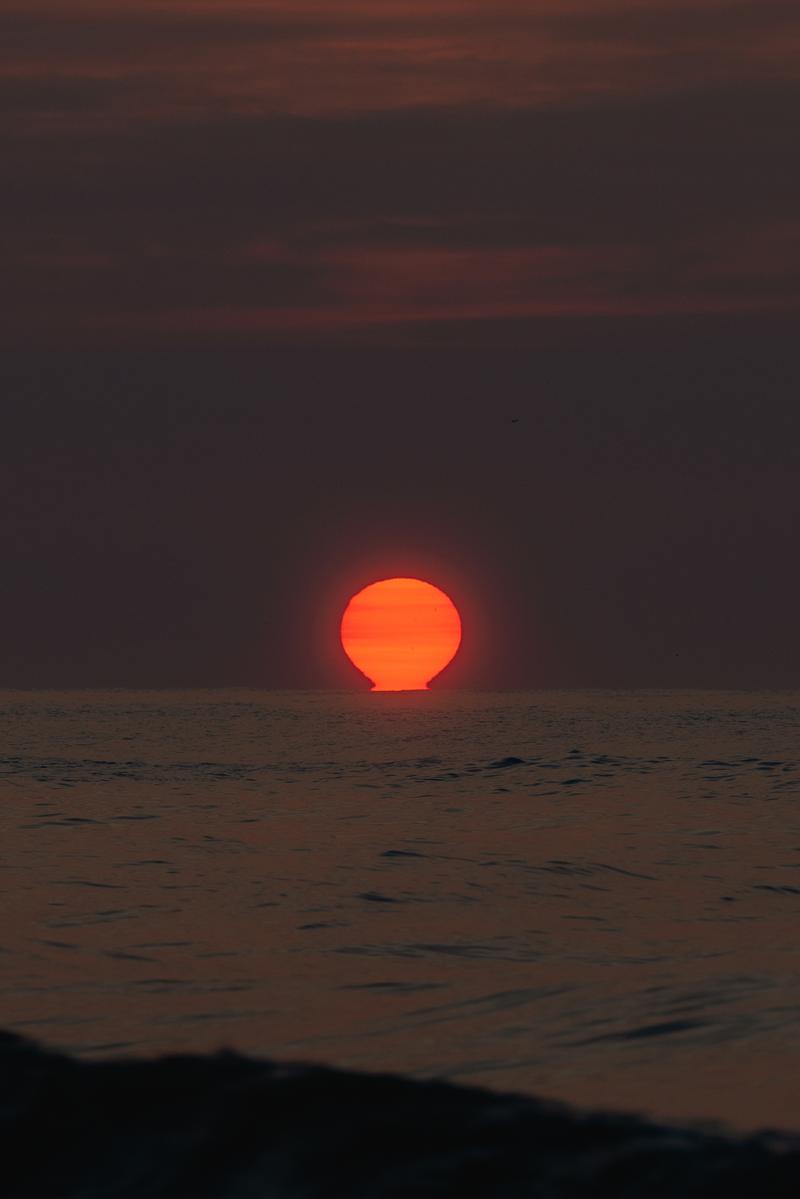
From the Photographer
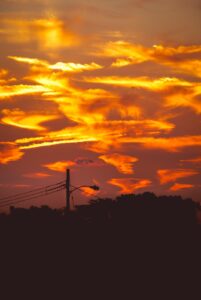
Red Sun Rising Over Water
This is what a fine art print looks like when the source file is right
Zeefeldt Photography. Fine art prints starting at $95
3. Canon SELPHY CP1500. Best for Event and Client Work
For photographers who deliver prints on site, at portrait sessions, events, markets, or exhibitions, the Canon SELPHY CP1500 is the professional tool of choice. Dye-sublimation technology produces prints that are inherently water-resistant and smear-proof without lamination, which matters when handing prints to clients immediately. The quality of 4×6″ prints is excellent: smooth skin tones, accurate color, good shadow detail. The Wi-Fi printing from phones and tablets is reliable. The optional battery pack (sold separately) makes it fully portable. Not suitable for large format fine art work, but for on-location delivery, unmatched.
Key specs: Dye-sublimation | 4×6″ max | Wi-Fi | Battery option | 1.46kg | ~$0.25/print
Professional Printing Workflow
Professional print workflow requires: color-calibrated monitor (use a hardware calibrator like the X-Rite i1Display), ICC profiles for your specific printer/paper combination (download from the paper manufacturer’s website), soft-proofing in Lightroom or Photoshop before printing, and consistent paper handling (handle by edges, let prints dry flat). Consistent ambient lighting for evaluating prints also matters. D50 (5000K) viewing booths are the industry standard.
Frequently Asked Questions
Do I need a wide-format printer for professional photography?
For fine art print sales and gallery submissions, 13″ wide is the practical minimum, it produces 13×19″ prints that are acceptable as standalone art pieces. If you sell prints larger than 13×19″ regularly, a 17″ wide-format printer (Epson SureColor P700, Canon imagePROGRAF PRO-300) is worth the investment. For most portrait and commercial photographers, 13″ is sufficient.
Dye vs. pigment ink: which is better for professional photography?
Pigment inks (Epson UltraChrome, Canon LUCIA) have better longevity (100+ years with proper framing) and work better on fine art matte papers. Dye inks produce wider color gamut and more saturated output on glossy/luster papers. For gallery-quality archival fine art printing, pigment is preferred. For commercial photography and client proofing, dye is often more practical.
Frequently Asked Questions
What is the best photo printer?
The best photo printer should use pigment-based inks for longevity, support wide-format printing (at least 13 inches wide), and include ICC color profiles for accurate color reproduction. Top picks include Canon, Epson, and HP Sprocket for different needs.
How long do printed photos last?
Photos printed with pigment-based inks on archival paper can last 100–200 years when stored properly (away from light, humidity, and pollutants). Dye-based inks typically last 25–50 years. Always use manufacturer-recommended paper for the longest life.
What paper should I use for printing professional photos?
For professional photo prints, use archival-quality papers: Ilford Galerie, Hahnemühle Photo Rag, or Canon Pro Luster. Matte papers suit fine art prints; glossy papers suit vibrant commercial photography. Match the paper to your printer’s ICC profile for best color accuracy.
Browse more nature photography tutorials, gear reviews, and field tips.
Download our guide: exposure, ISO, and aperture strategies for every light condition and terrain.
We respect your inbox. One guide, occasional tips, unsubscribe anytime.