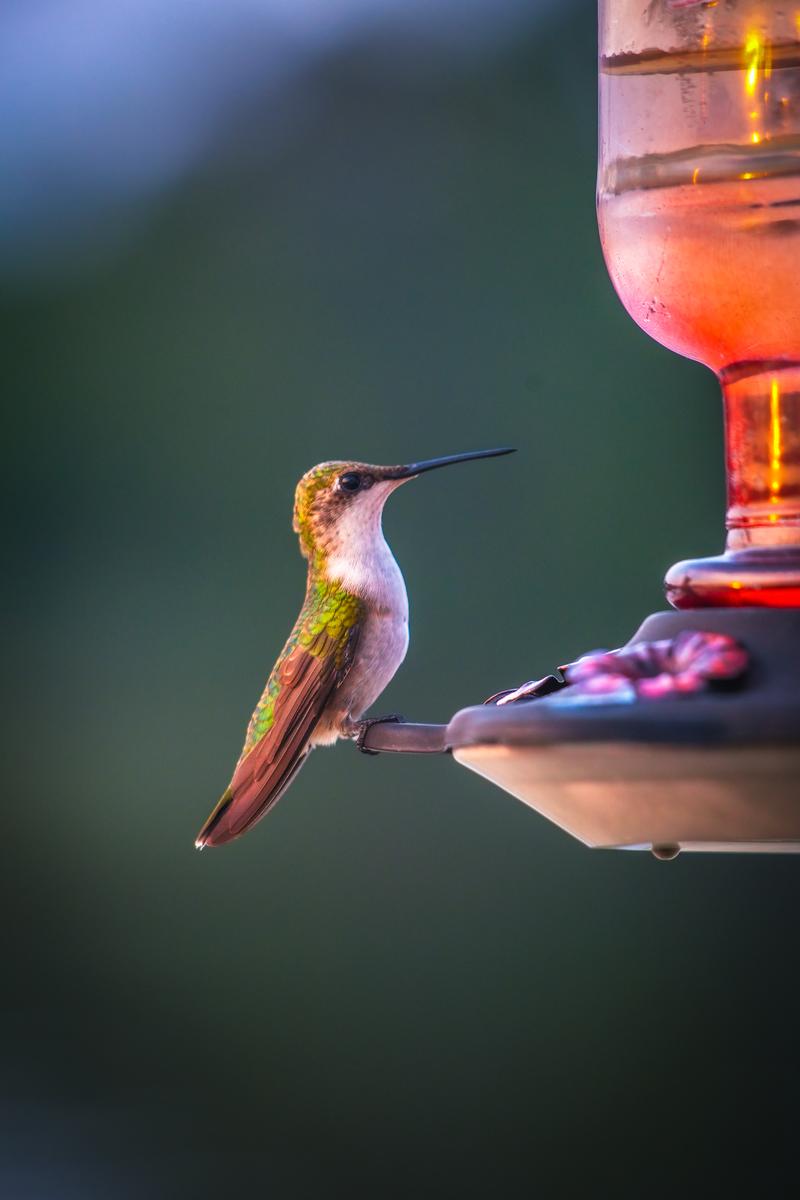
You’re standing at the edge of a marsh, watching a Great Blue Heron stalk through the shallows 200 yards out. Your spotting scope pulls the bird in close enough to count individual feathers, but all you can do is watch. Your camera lens maxes out at 400mm, and the bird is just a speck in the frame. A digiscoping adapter would let you shoot through that scope and capture a frame-filling image at effectively 1,500mm or more, for under $100.
Digiscoping connects a camera or smartphone to a spotting scope’s eyepiece, turning your optic into a super-telephoto lens. It’s the most affordable way to reach extreme focal lengths for bird photography, wildlife documentation, and nature observation. Below are the best adapters available in 2026, organized by camera type and budget.
Quick Answer
For smartphone digiscoping, the Celestron NexYZ 3-Axis (~$60) is the best all-around adapter: it fits eyepieces from 35-60mm, accommodates any phone, and the 3-axis knob system eliminates vignetting in seconds. For DSLR/mirrorless digiscoping, a T2 adapter matched to your scope brand (Kowa TSN-DA4 or Swarovski TLS APO) delivers the sharpest results at $150-350. For budget birders who just want quick phone shots, the Gosky Universal (~$20) gets the job done with a simple clamp design.
What Is Digiscoping and Why Does It Work?
A spotting scope typically magnifies between 20x and 60x. When you place a camera behind the eyepiece, you’re photographing through that magnification. A 60x scope paired with a smartphone’s default 26mm-equivalent lens produces an effective focal length around 1,560mm. That’s triple the reach of a $13,000 Canon RF 800mm f/5.6 lens, achieved with a $500 scope and a $60 adapter.
The tradeoff is speed. You’re shooting through a fixed aperture (typically f/8 to f/16 effective), autofocus is limited to your phone’s contrast detection, and framing requires manual adjustment. Digiscoping excels for stationary or slow-moving subjects: perched birds, roosting owls, wading shorebirds, nesting raptors, and mammals at distance.
Best Digiscoping Adapters for Smartphones
1. Celestron NexYZ 3-Axis Universal Adapter
Price: ~$60 | Eyepiece range: 35-60mm | Weight: 7.8 oz
The NexYZ remains the gold standard for phone-to-scope adapters. Three labeled knobs (X, Y, Z) let you center your phone’s camera over the eyepiece with mechanical precision. Most users achieve full-field alignment in under 30 seconds. The spring-loaded phone cradle fits devices up to 3.5 inches wide (with case), covering every current iPhone and Samsung Galaxy model. Build quality is solid aluminum and polymer. This is the adapter to buy if you own any spotting scope with a standard eyepiece.
2. Novagrade Double Gripper Universal
Price: ~$90 | Eyepiece range: 39-60.75mm | Weight: 5.6 oz
Novagrade’s lifetime-anodized aluminum construction and soft-touch grippers make this the most durable option for field use. The double-grip system clamps both the phone and eyepiece independently, reducing vibration transfer. It accepts phones and mini-tablets up to 4.375 inches wide. Slightly more fiddly to align than the NexYZ’s knob system, but the build quality justifies the premium for heavy users.
3. Gosky Universal Phone Adapter
Price: ~$18-25 | Eyepiece range: 25-48mm | Weight: 4.2 oz
The budget option that outsells everything else for a reason. A simple clamp design fits most eyepieces and phones. Alignment is less precise than the NexYZ (expect more vignetting on the first attempt), and the plastic construction won’t survive years of field abuse. But for casual birders testing whether digiscoping works for them, this is the right entry point. Upgrade later if you get hooked.
4. Kowa TSN-GA5S Smartphone Adapter
Price: ~$100 | Designed for: Kowa TSN-880/770 series | Weight: 6.1 oz
If you own a Kowa spotting scope, this purpose-built adapter integrates more cleanly than any universal option. The bayonet mount locks directly to Kowa eyepieces with zero play. Phone alignment is fast and repeatable. The downside: it only works with Kowa optics. Worth it for Kowa owners, irrelevant for everyone else.
Best Digiscoping Adapters for DSLR and Mirrorless Cameras
5. T2 Mount Adapter (Brand-Specific)
Price: $30-80 for the T2 ring | Required: scope-specific photo adapter ($100-250)
Serious digiscopers pair a dedicated camera adapter from their scope manufacturer (Kowa TSN-DA4, Swarovski TLS APO, Leica Digiscoping Adapter) with a T2-to-camera-mount ring matched to their body. This eliminates the eyepiece entirely, coupling the camera sensor directly to the scope’s objective via a projection system. Results are dramatically sharper than afocal (phone-over-eyepiece) methods. You lose the eyepiece magnification but gain a fixed effective focal length around 1,000-1,200mm with far better light transmission.
6. MAGVIEW S1 SYNC
Price: ~$130 | Mount type: Magnetic self-aligning | Weight: 3.2 oz
The MAGVIEW uses a magnetic alignment system that snaps your phone into perfect position over the eyepiece every time. Once you attach the magnetic ring to your phone case and the base to your scope, reconnection takes under 5 seconds. This is the fastest phone adapter available, ideal for birders who need to capture fleeting moments. The magnetic hold is surprisingly secure, though heavy phones on windy days can test the connection.
Digiscoping Camera Settings Guide
Your spotting scope’s effective aperture is fixed, typically between f/8 and f/16 depending on magnification and objective lens diameter. You can’t control it. What you can control is ISO, shutter speed, and your phone’s exposure compensation. These settings assume bright daylight conditions with a 20-60x scope.
Step-by-Step: Setting Up Your First Digiscoping Rig
- Mount your spotting scope on a sturdy tripod. A flimsy tripod will amplify vibration at high magnification. Use a fluid head if possible, the same kind recommended for gimbal-based wildlife setups.
- Set the scope to lowest magnification (20x). This gives you the widest field of view and most light. You can zoom in after you’ve locked focus.
- Focus the scope visually on your subject. Get a tack-sharp image through the eyepiece before attaching your phone or camera.
- Attach the adapter to the eyepiece. Tighten clamps or lock the bayonet mount. The adapter should not wobble.
- Align your camera lens to the eyepiece center. With the NexYZ, use the X and Y knobs until the black vignette circle disappears and you see a full, bright field. With a clamp adapter, slide the phone until centered.
- Lock focus on your phone. Tap the subject on your phone screen to set focus and exposure. On iPhone, long-press to lock AE/AF. On Android, most camera apps support tap-to-lock.
- Use a 2-second timer or Bluetooth remote. Touching the phone to fire the shutter introduces vibration that ruins sharpness at 40-60x. A timer or remote eliminates this entirely.
- Shoot in burst mode. Fire 5-10 frames per attempt. At extreme magnifications, atmospheric shimmer and micro-vibrations mean only 1-2 frames out of 10 will be sharp. Burst mode increases your hit rate.
Digiscoping vs. Super-Telephoto Lenses
A 600mm f/4 lens costs $10,000-13,000, weighs 8-10 pounds, and requires a dedicated gimbal head. It delivers stunning autofocus performance and razor sharpness. A digiscoping rig (scope + adapter) costs $400-800 total, reaches 1,500mm+, and fits in a backpack with your bean bag stabilizer. The quality gap is real: a 600mm prime will outresolve any digiscoping setup. But the reach gap is also real: no handheld lens matches what a 60x scope delivers at distance.
For birders and wildlife watchers who already own a spotting scope, adding a $60 adapter is a no-brainer. For dedicated wildlife photographers who need fast autofocus and shoot moving subjects, a telephoto lens is the better tool. Many serious birders carry both.
Tips for Sharper Digiscoped Images
Stability is everything. Use the heaviest tripod you can carry, and consider a vehicle window mount for roadside birding sessions where your car acts as a blind and a vibration damper. Shoot at the lowest magnification that frames your subject, as higher magnification narrows the effective aperture and amplifies shake. Avoid shooting through heat shimmer over water or pavement. Early morning and overcast days produce the sharpest digiscoped results because the air is calmer and the light is more even.
Frequently Asked Questions
Can I digiscope with binoculars instead of a spotting scope?
Yes, but results are limited. Binoculars have smaller objective lenses (typically 42mm vs. 80mm on a scope), which means less light and lower magnification. The Celestron NexYZ and Novagrade adapters fit binocular eyepieces. Expect usable but not spectacular results. For consistent quality, a spotting scope on a tripod is the better platform.
Do I need a specific phone for digiscoping?
Any smartphone with a standard rear camera works. Avoid using ultrawide lenses (they introduce severe vignetting). Use the main (1x) camera. Phones with larger sensors (iPhone 15/16 Pro, Samsung Galaxy S24/S25 Ultra, Google Pixel 9 Pro) produce cleaner high-ISO images, which matters in low light. But even a budget phone produces usable digiscoped images in good light.
What magnification should I use for digiscoping?
Start at 20-30x for the best balance of reach, brightness, and image stability. At 60x, the image is dimmer, the field of view is tiny, and atmospheric distortion becomes the limiting factor. Most experienced digiscopers shoot between 25x and 40x for the best results.
Is digiscoping better than cropping a telephoto photo?
It depends on the crop factor. A 600mm lens on a 45MP sensor, cropped 3x, gives you the equivalent of 1,800mm but at only 5MP. A digiscoped image at 40x through an 80mm scope captures the full sensor resolution (12MP on most phones) at the equivalent focal length. For subjects beyond 100 yards, digiscoping often resolves more detail than a heavy crop from a telephoto.
Can I record video while digiscoping?
Absolutely. Smartphone digiscoping is popular for bird behavior documentation because phones shoot 4K video natively. Keep magnification at 20-30x for video (60x is too shaky), use a remote shutter to start/stop recording, and enable optical image stabilization on your phone if available. A camera hide or blind helps you record longer without disturbing the subject.
Browse more nature photography tutorials, gear reviews, and field tips.
Related Guides
 Best Camera Hides for Wildlife Photography (2026): 5 Portable Blinds for Getting Close
 Best Window Mounts for Wildlife Photography (2026): 5 Picks for Vehicle-Based Shooting
 Best Bean Bags for Wildlife Photography (2026): 5 Picks for Telephoto ShootersBest Gimbal Heads for Wildlife Photography (2026): 6 Picks for Telephoto Shooters